 FGF DECK
Foundation: Galactic Frontier
What to buy in the Discount Shop and Guild Shop
Save your Credits for an upgrade you can use. Spend Guild Vouchers on a specific upgrade, a useful pull, or the speed-ups that get you to a reward chest.
What should I buy from the Discount Shop?
- Buy for your next upgrade
- Start with the material holding up your main fleet. A Weapon Prism can be worth the Credits if you know which Champion Weapon you’re upgrading. Check weapon compatibility and the materials you still need first.
- Buy speed-ups for a job you can start
- Pick the type that fits your queue and event stage. A Technology speed-up is a better buy for a research push if it costs less and gives the same points. Universal speed-ups earn their keep when you need to swap between queues.
- Skip routine materials
- Check your Storage, Trader Commissions, and Guild Port earnings before buying Food, Water, or Metal with Credits. Pay for the shortfall only if waiting would cost you an upgrade or reward you actually want.
Open Storage → Shop → Discount Shop, or tap the Discount counter on your mothership. Check the timer and Remaining count. Read what a refresh costs before using it.
For F2P accounts, start with the Credits you’ve earned and set aside what you need for your next main-fleet upgrade. If you use Premium offers, check what’s included in your pass or card before paying for those same items again.
Should I buy speed-ups from the Discount Shop?
Buy only enough to finish a useful timer or reach a worthwhile chest. Check your Storage first, then compare offers by Credits per hour you can use. A larger percentage off can still be the more expensive offer for your queue.
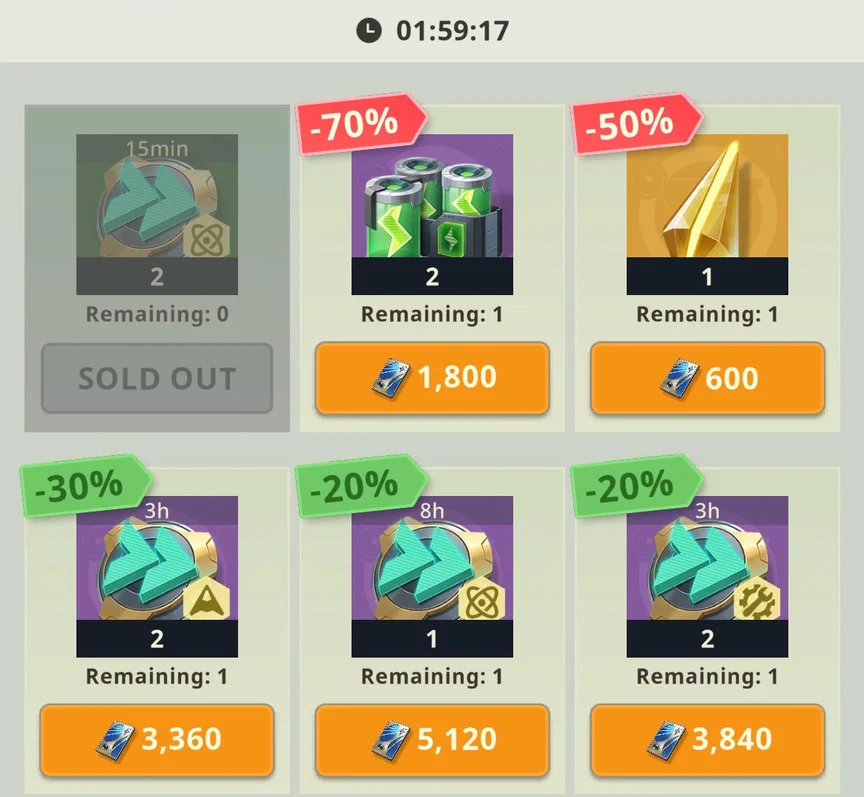
Match the type to the live scoring screen. If you’re 3,200 points short and Technology speed-ups earn 16 points per minute, you need 200 more eligible minutes. Make sure you have that much research time left. Use the Speed-up Calculator to see what your current stash can reach before buying the gap.
Skip speed-ups when your queue is blocked by materials or room levels, or when the next chest is still out of reach after the purchase. Check the daily ways to earn speed-ups before spending Credits on a small gap.
What should I buy from the Guild Shop?
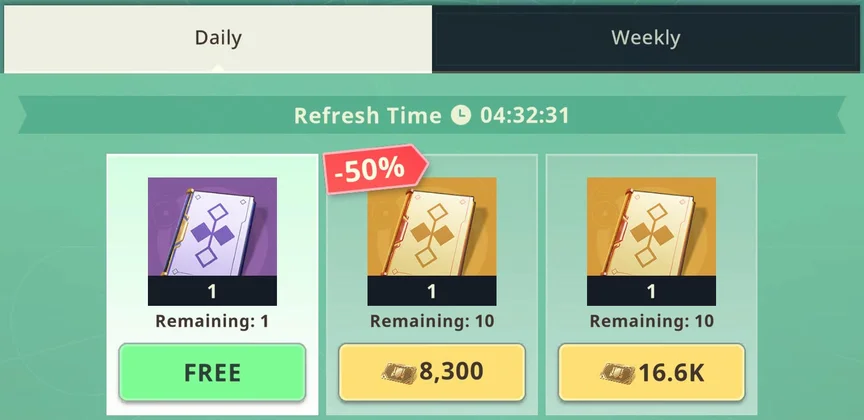
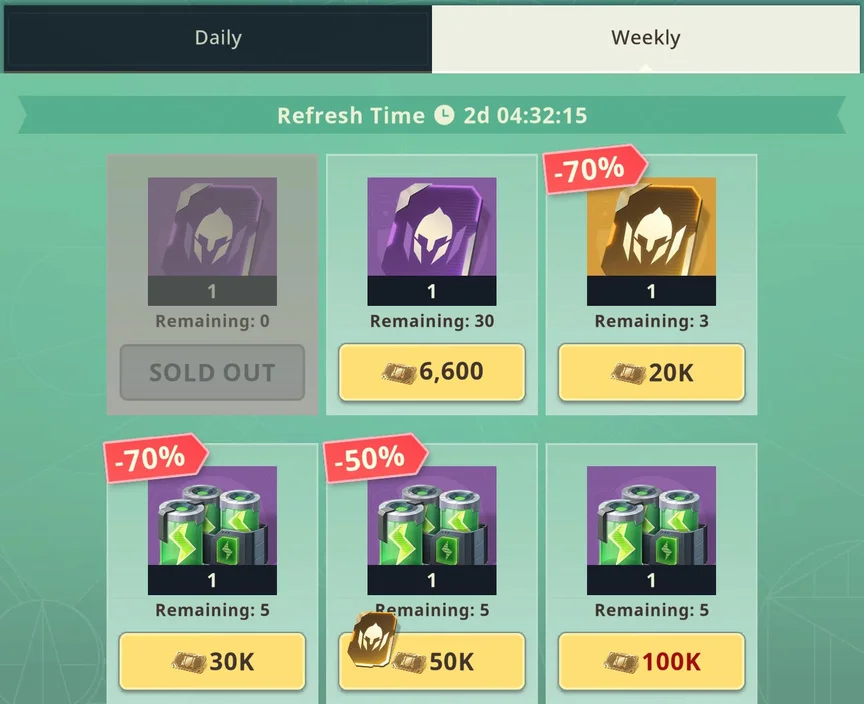
Open Guild → Shop and check both Daily and Weekly. Use Guild Vouchers here. Compare offers in Vouchers per usable hour when buying speed-ups.
- Buy for an upgrade you can make
- Check Daily for discounted Training Manuals if a Champion skill is ready to level. Check Weekly for the matching speed-ups if you’re pushing an upgrade or event milestone. If Galactic Coin is your bottleneck, compare the discounted packs of the same size and take the cheapest first.
- Use the cheaper queue-specific stack
- Compare the price for the same number of usable minutes. Pick Universal when you need the flexibility enough to justify the extra Vouchers.
- Keep a reserve
- Leave enough Vouchers for the item you’re saving for on your next visit. Check Arms Race rewards when the event opens if you need more Vouchers.
What should I buy in limited-time event shops?
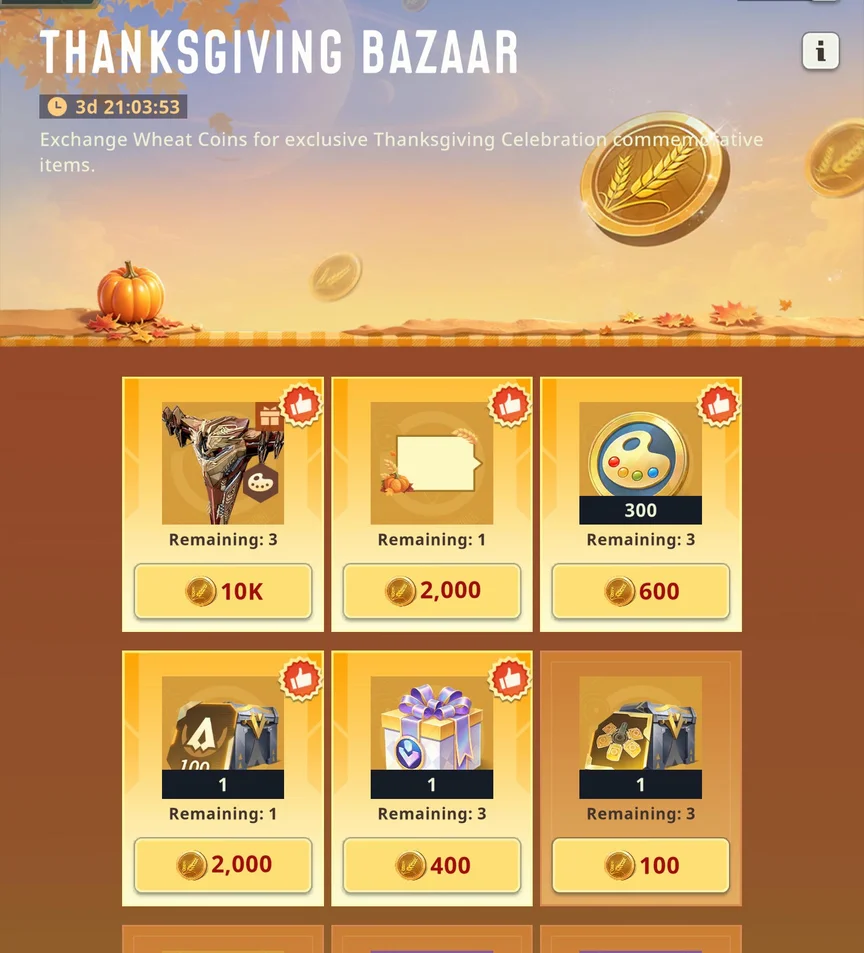
Choose a reward that helps your next upgrade, then check how much event currency you can still earn. If you’re short of your first choice, pick a useful item you can afford before the shop closes. Read the Conversion Notice if the shop has one.
What should I buy in the other shops?
For purchase priorities and examples for each currency, see the Glory Shop, Valor Shop, and Intel Exchange guide.
- Glory Shop
- Look for a Flagship Component or Blueprint that fills a slot on the ship you use. When the offer is a random chest, check whether several of its possible drops would help before buying. See how to finish a component set.
- Valor Shop
- Check the current stock for Lily Fragments. Buy them when they move you toward an unlock or promotion you plan to use. Compare the amount you still need before buying other rewards. See Legendary Champion recruitment.
- Intel Exchange
- Look for discounted Training Manuals when you have a Champion skill ready to level. Check the rarity and number in the stack. Save your Intel if none of the current offers helps your planned upgrades.
- Regular Shop
- Check it when you urgently need a specific item. Compare the regular price and the Discount Shop’s price for the same amount first. If there’s no deadline, wait for a better offer.
How do I tell which deal is best value?
- Choose the upgrade, pull, or reward chest you want this week.
- Check what you already own and what the next activity can earn you.
- Read the current item quantity, currency, and purchase limit in the shop. Use those numbers to compare deals.
- Buy the smallest amount that closes the gap and save the rest for the next rotation.